










Setting up the MTD UK VAT return in Business Central
Index 
The system relies on a legal requirement established by the UK tax authority (HM Revenue & Customs) in April 2019. Two-way communication: Unlike a simple file import, the Business Central API uses the GovTalk service for direct interaction. This enables real-time retrieval of tax obligations. Fraud prevention data: This is a crucial technical point. Since 2021/2022, every submission must include HTTP fraud prevention headers. These headers transmit metadata about the user's device (IP address, time zone, software version, device identifier) to ensure the integrity of the return.
Detailed Business Central configuration
The configuration differs depending on whether the Cloud (SaaS) or On-Premises version is used.
Company and location requirements
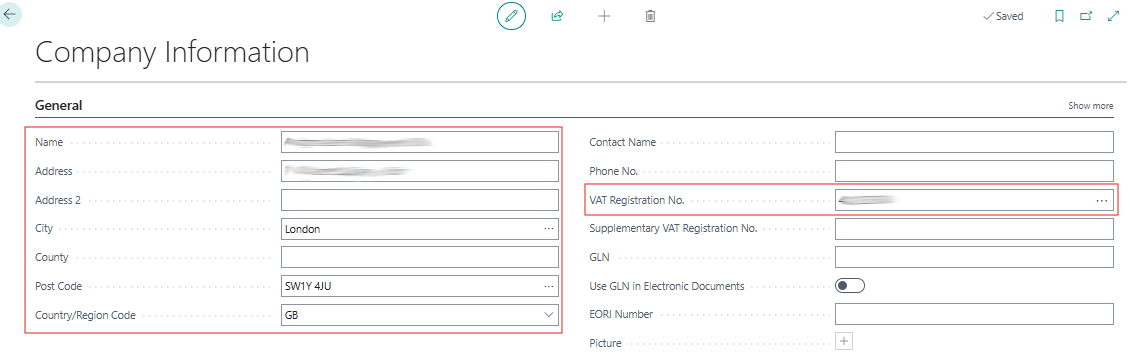
Access to the Company Information page is essential for entering basic data. The Country/Region Code must be set to GB and the VAT Registration No. must be entered accurately. The legal name and full address must also be completed, as HMRC verifies the consistency of this information with each submission.
UK VAT Setup
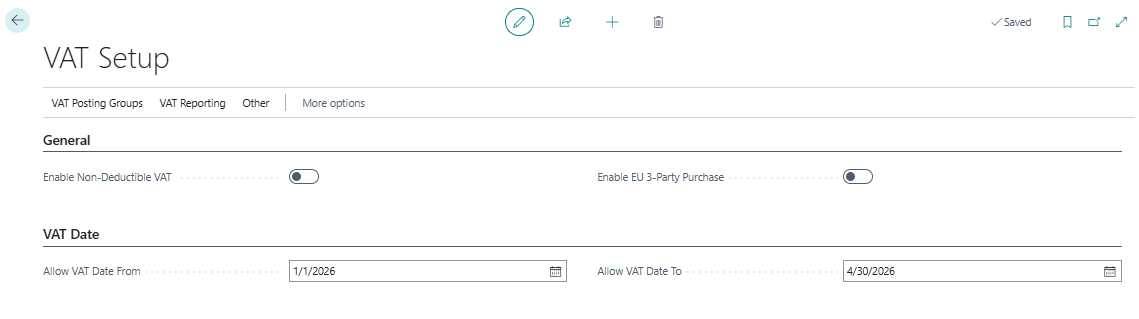
On the “VAT Setup” page, verification of the registration number and UK-specific settings is required. The calculation basis must conform to the British standard to correctly generate “VAT Returns”.
The mapping on the “VAT Posting Setup” page is critical. It involves defining the associations between “VAT Bus. Posting Group” and “VAT Prod. Posting Group,” as well as the linked VAT accounts. The amounts transmitted to HMRC come exclusively from this mapping. Any error at this stage will result in incorrect amounts and a risk of rejection by the tax authorities.
Feature Management
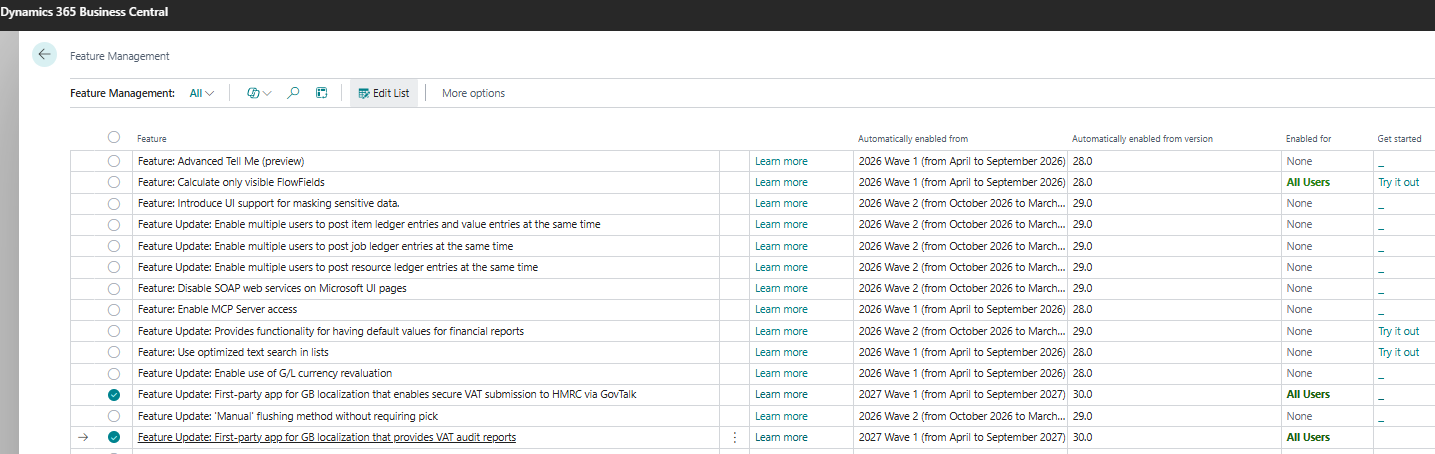
Prior to technical configuration, certain options on the Feature Management page must be enabled. The "Feature Update, First-party app for GB localization that enables secure VAT submission to HMRC via GovTalk" must be activated to allow secure transmission. Concurrently, the "Feature Update, First-party app for GB localization that provides VAT audit reports" is essential for obtaining VAT audit reports.
Sandbox de test
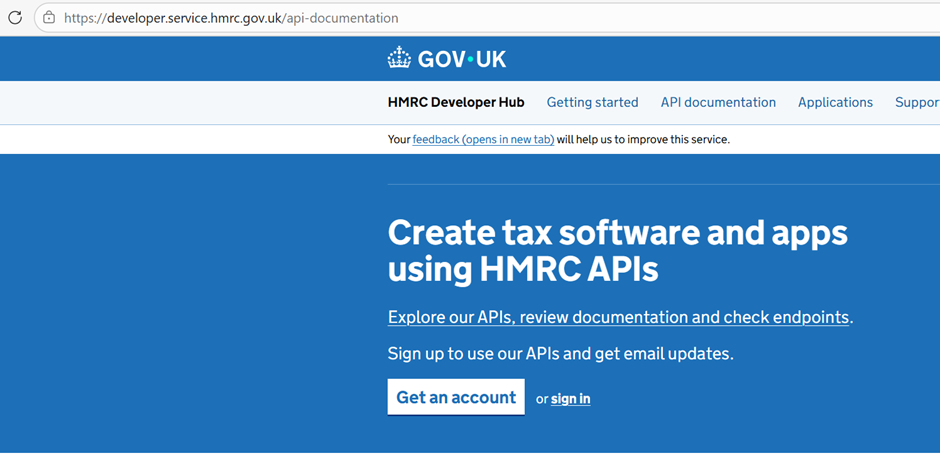
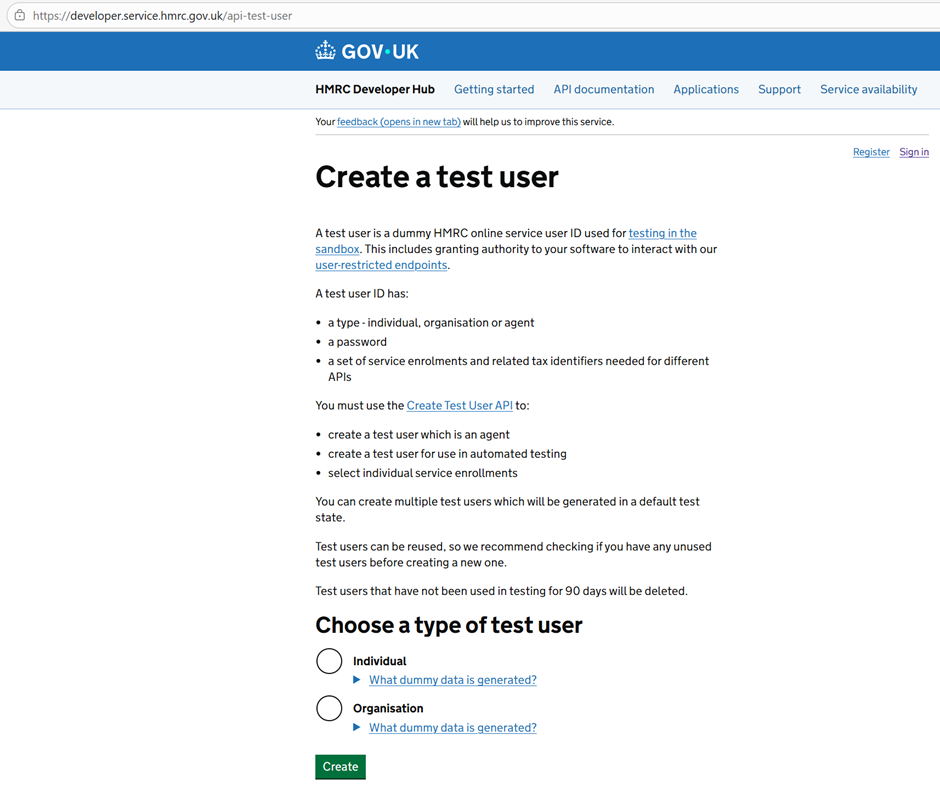
To test the electronic VAT return, a dedicated test environment can be used, provided that a prior registration procedure is followed on the portal. https://developer.service.hmrc.gov.uk/api-documentationOnce the account is created, you will need to configure an application on this portal to obtain a client ID and generate a client secret, both essential for authentication. Finally, to simulate real transactions, you will need to create a test user with the appropriate privileges directly in the developer interface.
MTD VAT API URLs
HMRC strictly separates the test environment (Sandbox) from the real environment (Production).
URL de Test (Sandbox) : [https://test-api.service.hmrc.gov.uk](https://test-api.service.hmrc.gov.uk)
Production URL: [https://api.service.hmrc.gov.uk](https://api.service.hmrc.gov.uk)
Additional technical settings for Business Central
VAT Report Setup
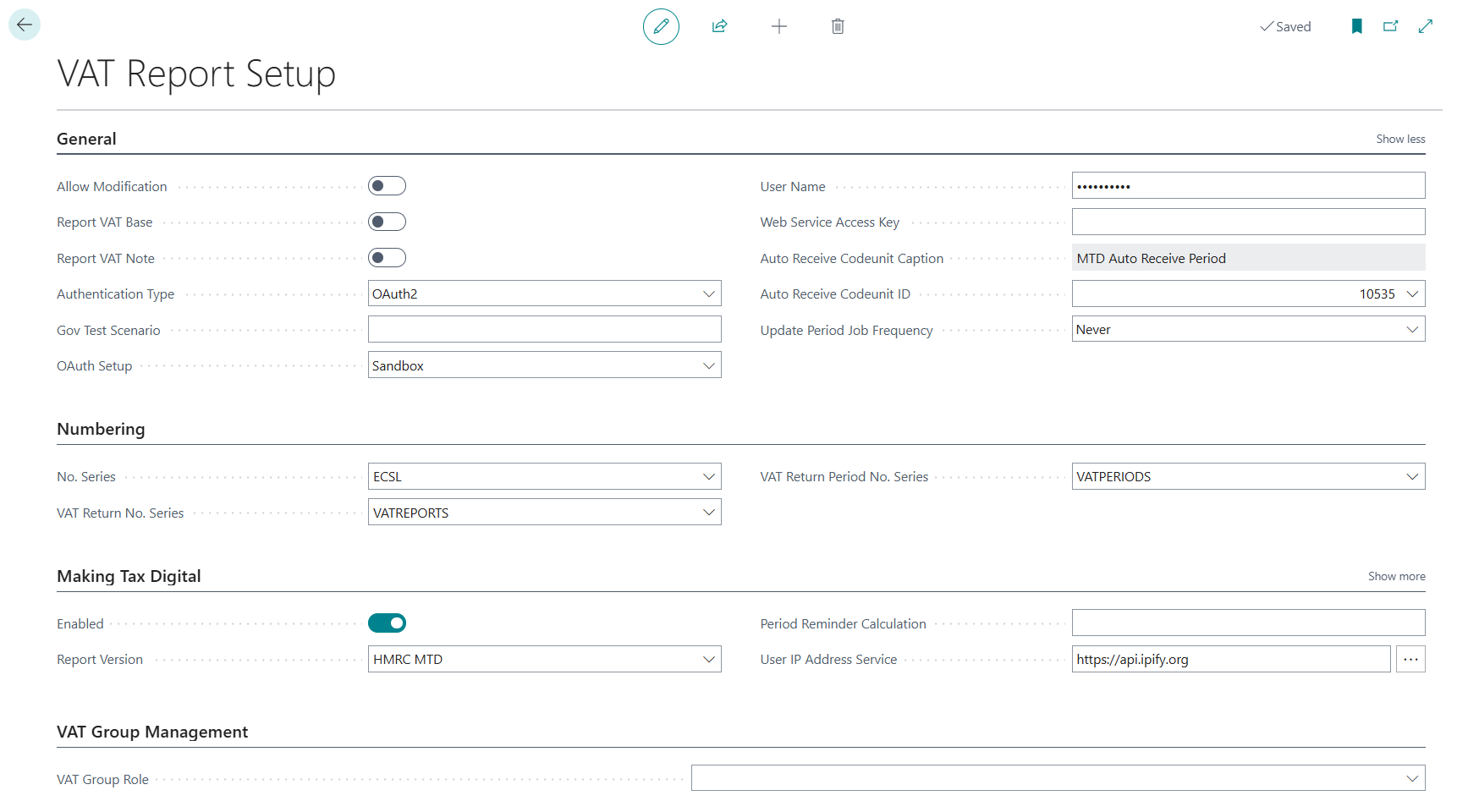
The configuration of theVAT Report SetupThis is a pivotal step to ensure transmission compliance with HMRC. It revolves around several essential technical parameters:
- Authentication management:The field “Authentication Type”must be set to “OAuth2”, while the field “OAuth Setup”allows switching to the “ environmentSandbox”to isolate your test phases.
- Simulation et tests:The fieldGov Test Scenariois particularly useful in development, as it allows you to simulate specific API responses, such as validation errors or successes, by entering predefined codes.
- Compliance Making Tax Digital:It is imperative to activate the setting “Enabled”and to ensure that the “Report Version”is positioned on “HMRC MTD”to activate the appropriate communication protocols. (This is linked to the “VAT Report configuration”)
- Fraud prevention:The field “User IP Address Service”must be entered with a URL such ashttps://api.ipify.orgThis parameter is mandatory to retrieve the user's public IP address and include it in the security headers required by the British authorities.
- Automation:The system also allows you to configure the automatic receipt of periods via theAuto Receive Codeunit ID, generally linked to codeunit 10535.
VAT Reports Configuration
The pageVAT Reports Configurationallows defining the processing and transmission engine for each type of declaration, by linking technical objects called Codeunits to specific steps in the process:
- VAT Report Type & Version :These fields define the nature of the report (e.g., VAT Return) and the version of the protocol used, such asHMRC MTD.
- Suggest Lines Codeunit ID :the Codeunit745is used to browse accounting entries and automatically aggregate amounts into the boxes of the VAT report.
- Content Codeunit ID :the Codeunit10531is responsible for transforming the calculated data into a JSON format that conforms to the technical requirements of HMRC.
- Submission Codeunit ID :the Codeunit10532orchestrates the secure transmission of the tax return file to the servers of the British tax authorities.
- Validate Codeunit ID :the Codeunit10533performs consistency checks on the data before any submission attempt in order to limit the risk of rejection by the API.

Service connections et infos OAUTH
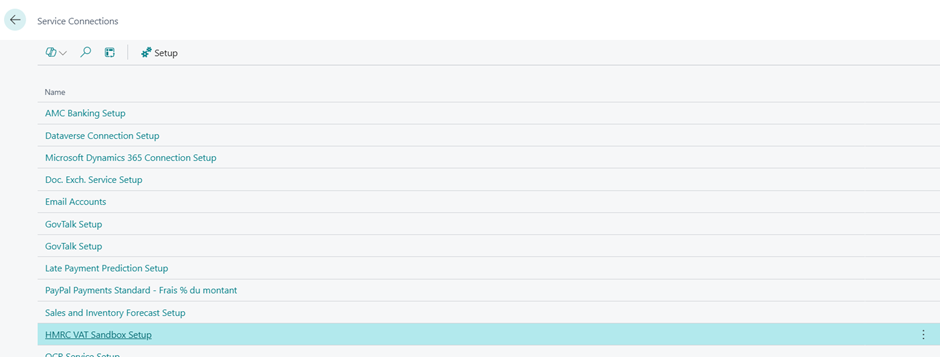
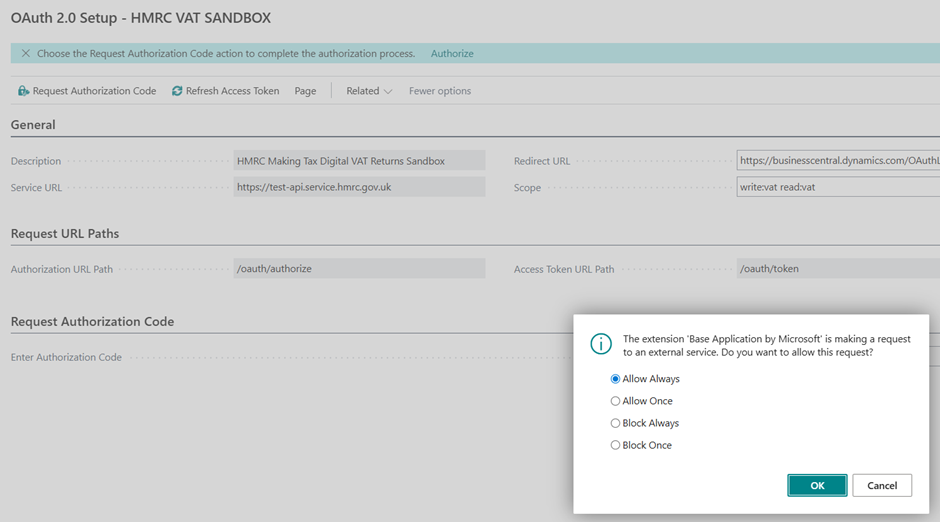
To finalize the technical settings, you must go to the page “Service Connections”, then select “HMRC VAT Sandbox Setup”to view or specify API service data.
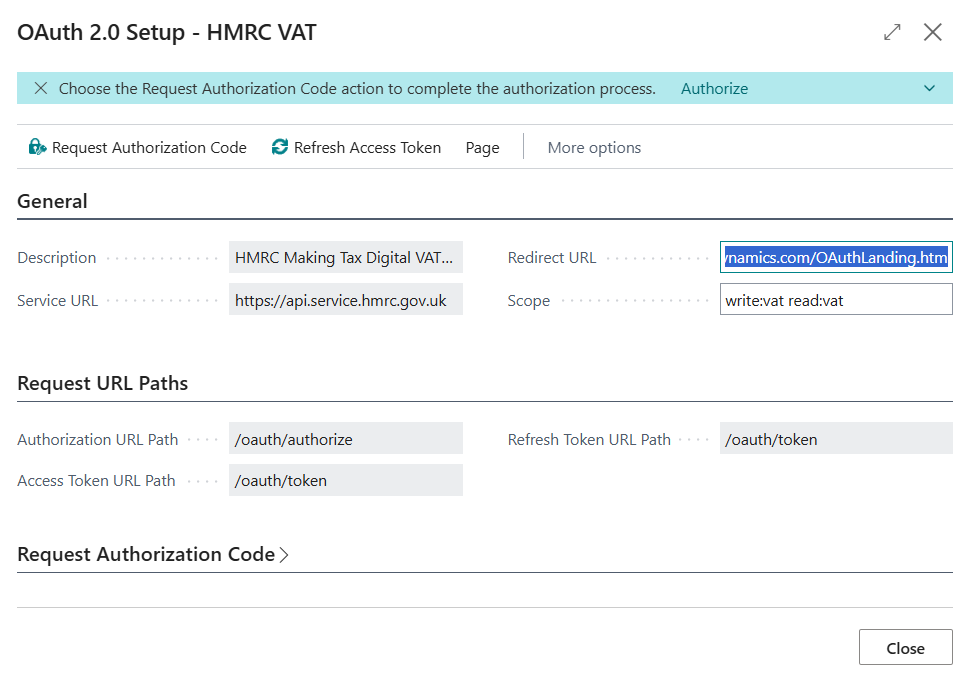
At this stage, we observe that the service URL points by default to the production environment and that this field is locked for direct modification. To bypass this restriction and switch to the test environment, it is necessary to use a “package de configuration”(Configuration Package) to force the URL to update to the Sandbox URL. This is also how you will need to fill in the “Client ID”and the “Client Secret”generated previously on the HMRC developer portal to enable Business Central authentication.
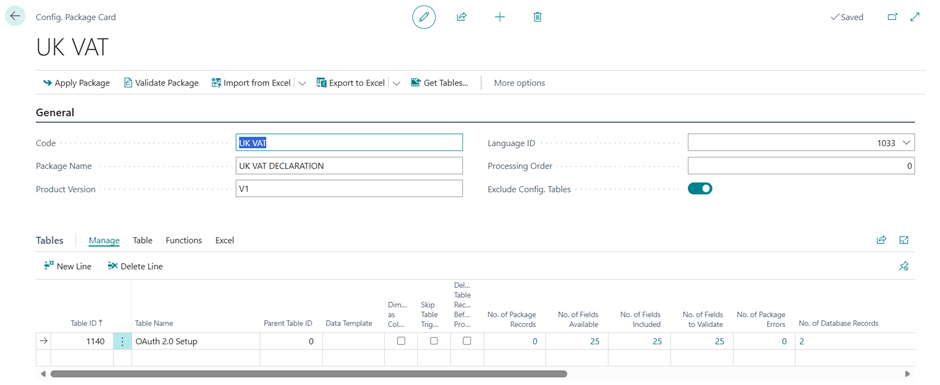
When preparing the Excel file for the configuration package, it is imperative to target only the critical fields in order to force the system update:
- Service URL: you must enter the test address there (https://test-api.service.hmrc.gov.uk) to overwrite the production URL that is locked by default.
- Redirect URLThis field must be filled in with the Business Central redirect URL (usually https://businesscentral.dynamics.com/OAuthLanding.htm). As a reminder, this address is essential as it serves as a secure return point to HMRC to transmit the authorization code to your ERP after user identification.
- Client ID: Enter the unique identifier of your application retrieved from the HMRC Developer Hub portal.
- Client Secret: insert the secret key generated on the portal, which secures the exchange of tokens between the two platforms.

Once this data has been imported and applied, Business Central will be correctly configured to communicate with the HMRC Sandbox.

To finalize the operation, simply click on the “ buttonRequest authorisation code”This action will redirect you to the HMRC platform where you will need to follow the authentication process using the test user credentials previously created on the developer portal.
Once state approval is granted, you will be automatically redirected to Business Central. This process concludes with a seamless update of the connection token, confirming that your environment is now ready for transmission testing.
Limitations and risks associated with test environments
Using real data for submission tests from a sandbox carries significant risks. The short answer is no; such a practice cannot be performed safely. HMRC restrictions: The UK tax authority does not allow test submissions for VAT returns in non-production scenarios. Only real returns are accepted. Terminology confusion regarding the sandbox: In HMRC documentation, this term refers to an environment exclusively for software developers. This space is unrelated to Business Central sandboxes. Risk of irreversible reporting: Using real credentials in a sandbox presents a critical risk. Clicking the Submit button triggers an official and irreversible reporting process. Technical alternative: To test interaction with the API, a sandbox application must be created on the HMRC Developer Hub. Business Central then offers the HMRC VAT Sandbox Setup connection. This verifies the software's functionality without validating real accounting figures.
Operating procedure: From obligation to settlement
The operational flow follows a digital link logic where no data is entered manually.
Management of VAT Return Periods
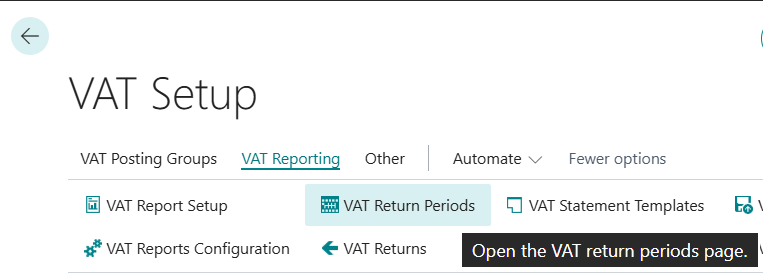
VAT return periods correspond to the reporting obligations defined by HMRC. Retrieval via API is possible. HMRC's fundamental rule prohibits the submission of manually created periods. The "Get VAT Return Periods" action must be used to import the official dates and payment due dates directly from the administration's servers.
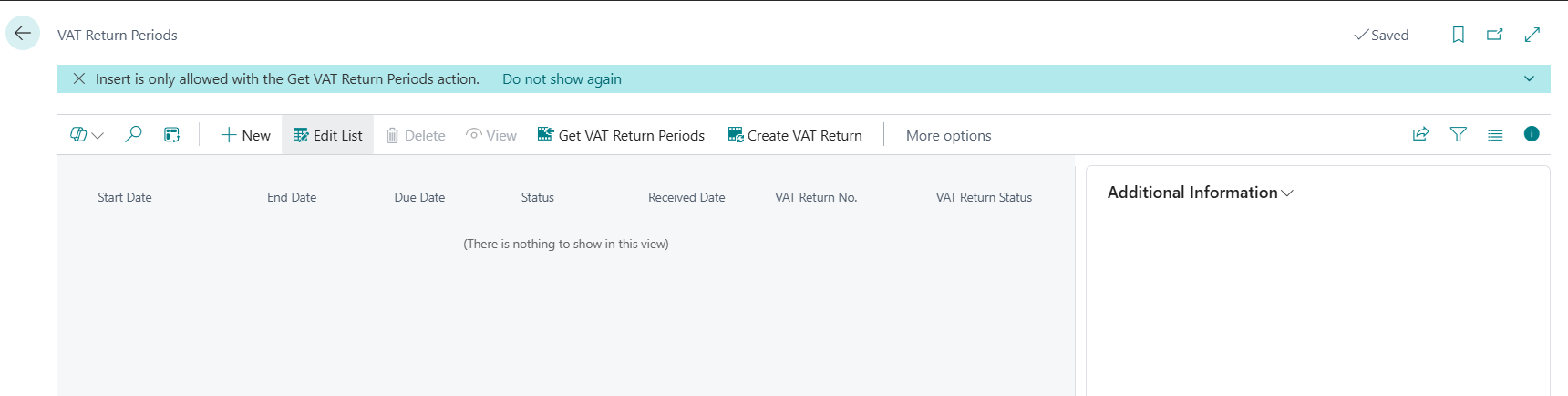
Useful within the workflow, these periods allow the system to alert you to overdue or overdue returns. Each line has a status (Open or Closed) and serves as the starting point for generating the return via the Create VAT Return action.

Preparation and calculation of the declaration
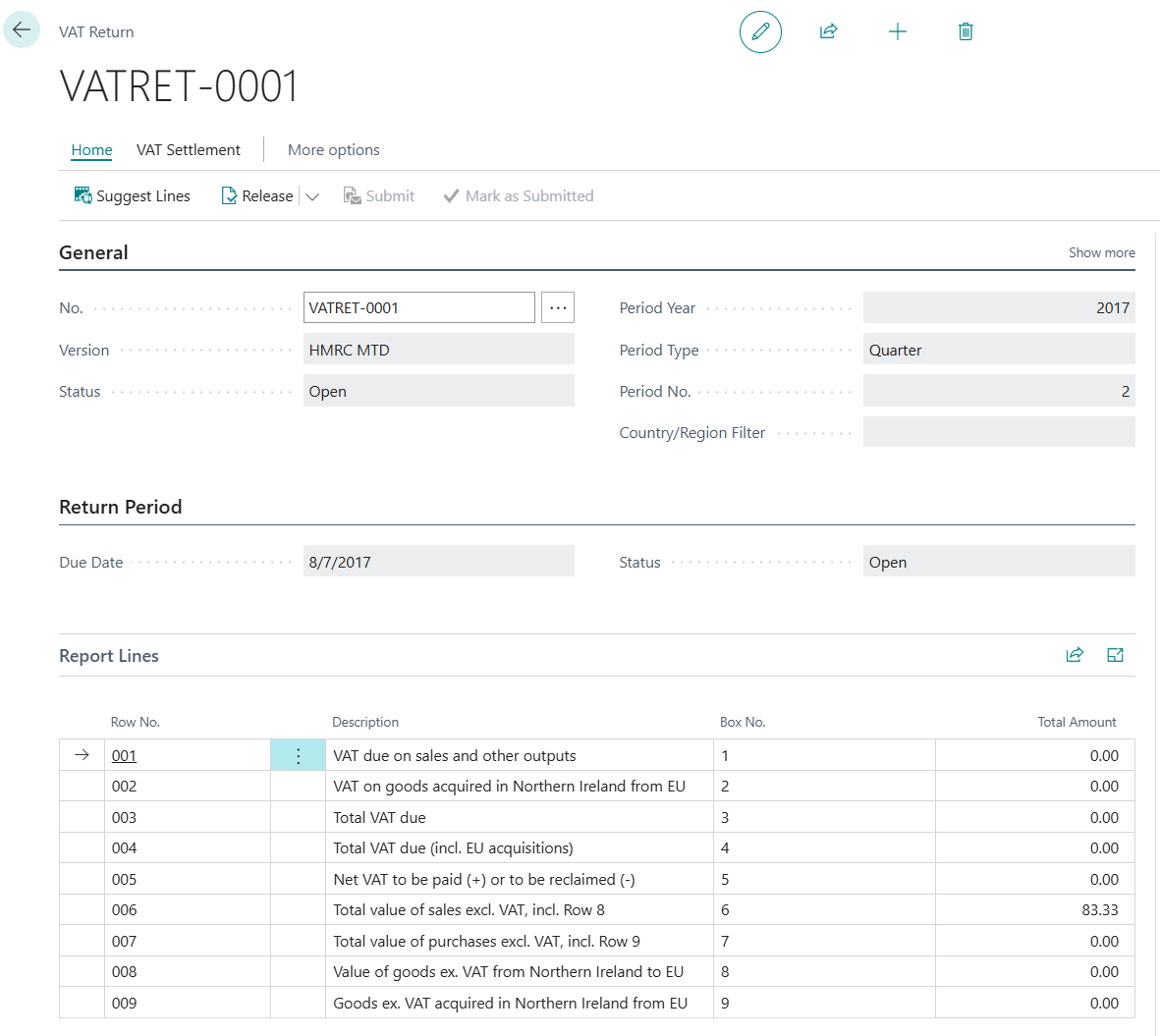
Once the period is selected, the process continues on the VAT Return page. The system uses the “VAT Statement” to calculate the amounts to be declared. The “Suggest Lines” action triggers the automatic calculation of boxes 1 to 9 based on the recorded entries. The grouping of VAT Market Accounting Group and VAT Product Accounting Group pairs is done using the “Box No.” column defined for each pair. Line verification: It is essential to check the “VAT Return Lines” page to validate that the structure is aligned with HMRC.
- Box 1, VAT due on sales,
- Box 2, VAT due on acquisitions
- Box 3, Total VAT due
- Box 4, VAT reclaimable
- Box 5, Net VAT to pay / reclaim
- Box 6–9, Corresponding HT Bases.[NT]Before final validation, it is possible to generate a preview via the classic VAT statement to check the consistency with the general ledger accounts.
Validation and Official Submission
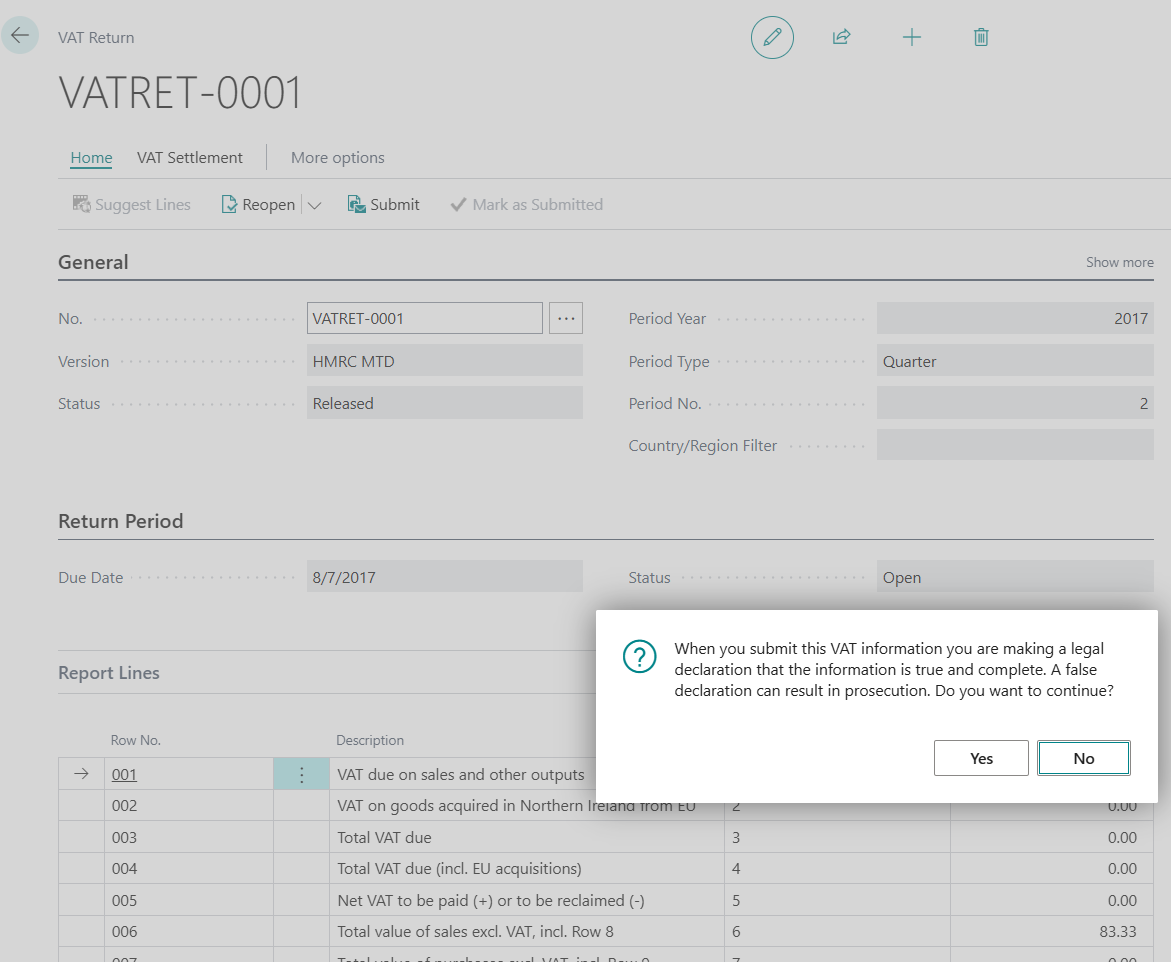
Release: Locking the declaration with this action prevents any further modifications. This is a mandatory step before submission. Submit: Activating this command initiates the direct transfer to the HMRC API. Legal validation confirming the accuracy of the data is required from the user. The system instantly receives a status notification; possible responses are Submitted, Accepted, Rejected, or Partially Accepted.
Post-reporting follow-up
The system allows for rigorous follow-up after submission. The VAT Liabilities page displays the VAT due according to HMRC records, while the VAT Payments page allows you to view the payments actually recorded by the tax authorities.
The crucial step: The accounting settlement (VAT Settlement)
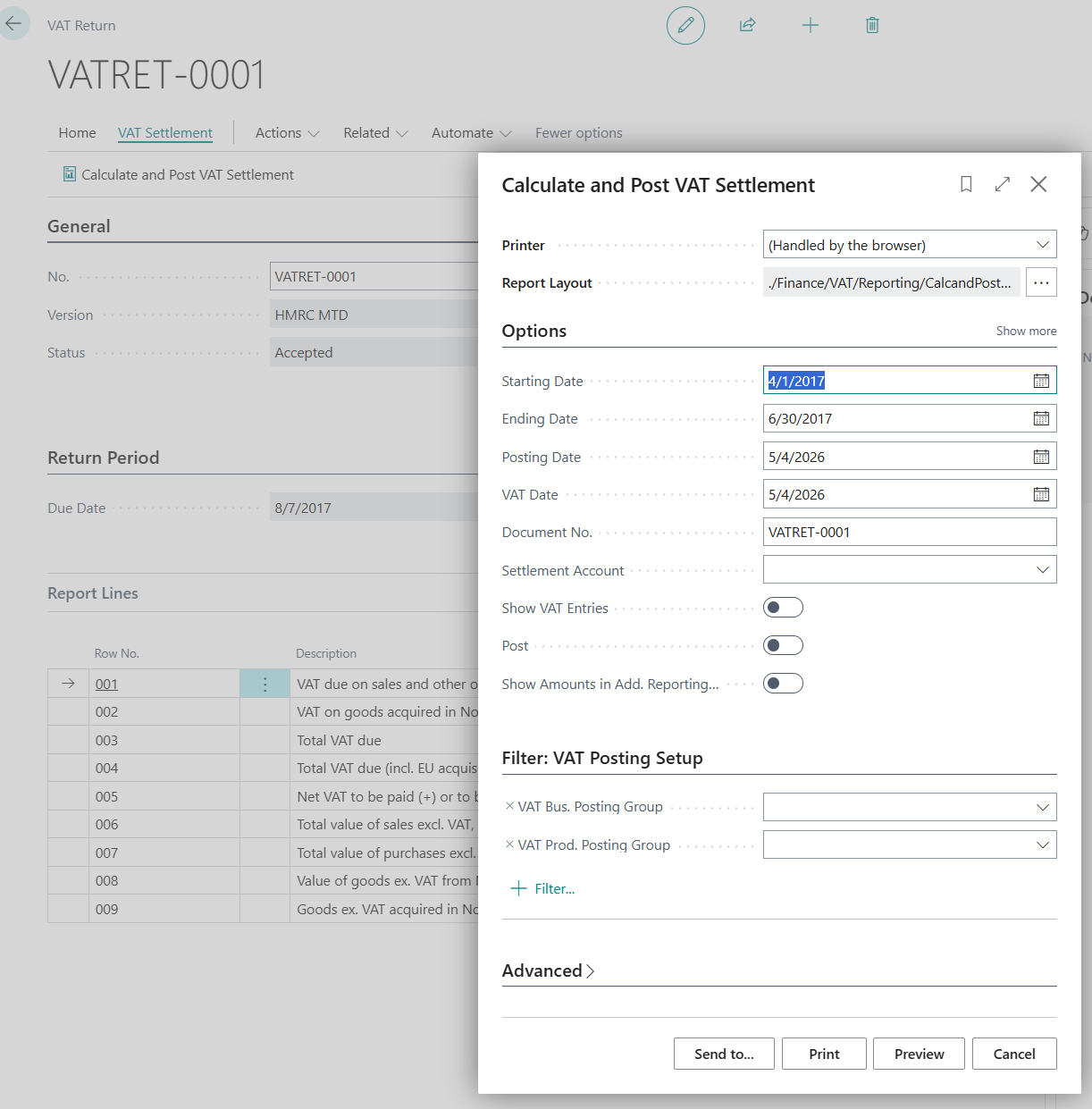
A common mistake is to assume that submitting a transaction closes the accounting entries. Closing the entries: After receiving the "Accepted" status, running the "Calculate and Post VAT Settlement" process is essential. Impact: This process closes the collected/deductible VAT accounts and transfers the net amount to a VAT liability account. The entries are then marked as closed, preventing their inclusion in the following quarter's VAT return.
Conclusion
In conclusion, the implementation of VAT electronic transmission via the protocol “MTD for VAT”Implementing a test environment in Business Central requires rigorous configuration, both for the UK government portal and the ERP itself. While a test environment is essential for validating your developments, it necessitates following a specific process:
- Prerequisites on the HMRC portal: Access to the Sandbox requires the creation of a dedicated application and the generation of security credentials (“Client ID” And "Client Secret”) and, most importantly, the creation of a test user of the "Organization" type via the dedicated guide.
- Adjustments in Business Central: to bypass the limitations of the standard interface, the use of a configuration package is necessary to force the test URL and the redirection address, thus ensuring that requests are properly directed to the Sandbox.
- Data validation: the frequently encountered authorization error underlines the importance of matching the VAT number (“"VRN") of the test user with the one entered in the company information on BC.
Once these steps have been completed and final authorization obtained via the “buttonRequest authorisation code” You will have a functional environment to safely test your submissions before going into production.






No comments yet.