










The Audit File Export module in Business Central: architecture and configuration
Index 
The previous article laid the groundwork: a precise legal obligation, detailed technical standards down to the smallest field, and a penalty that leaves no room for error regarding the absence or non-compliance of the file. One practical question remains: how does an ERP translate this regulatory constraint into software functionality? Microsoft Dynamics 365 Business Central answers this question with a dedicated module, Audit File Export, designed from the outset to be adapted to each country. This article presents its general architecture, then the common configuration, before detailing the two main approaches: SAF-T and FEC.
An architecture designed to be expanded
The module is based on a limited number of pivot objects.
Table Audit File Export Header, number 5265, contains an export document: a generation request for a given period.
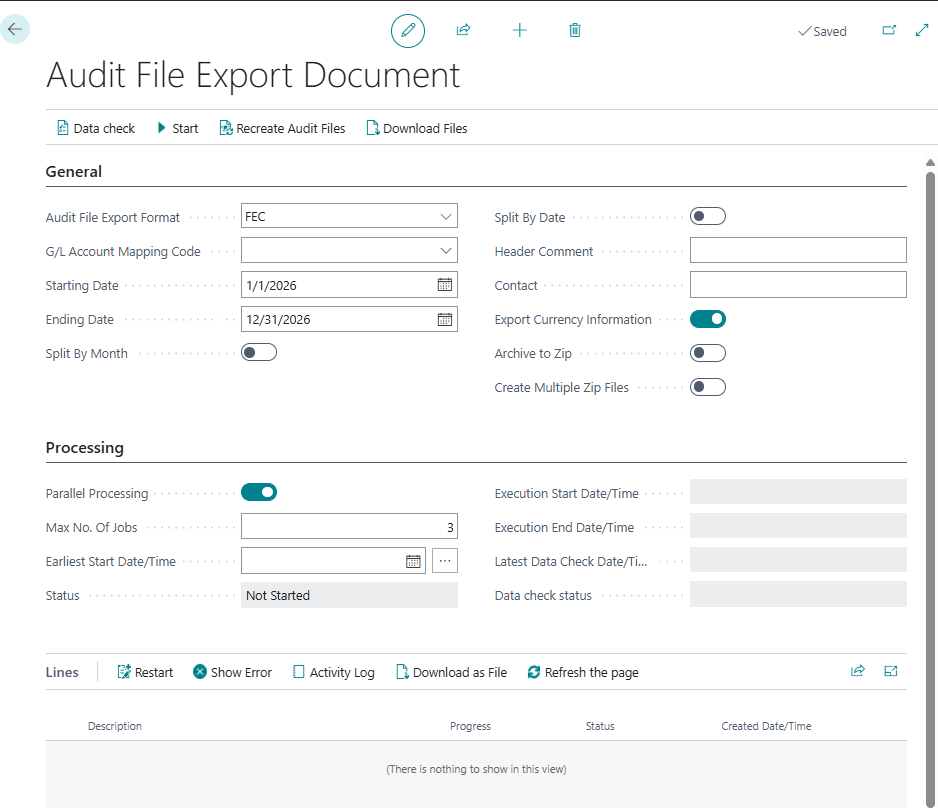
The page Audit File Export Doc. Card, number 5267, constitutes the control interface.
Around these two objects revolve a table of processing lines, a table of generated files, and two parameter tables, one for general configuration, the other for options specific to each format.
The most significant architectural choice lies elsewhere. The Audit File Export Format field is not simply a list value; it's an interface. Each value in this enum implements two software contracts: one for verifying the data before export, and the other for converting it into a file.
The module's core only provides an empty implementation. Each country extension adds its own.
SAF-T adds a SAFT value, linked to its own XML generation engine.
The FEC adds an FEC value, linked to an engine that produces a flat text file.
Page 5267, however, never changes its structure: it systematically delegates to the active format and simply displays or hides certain fields depending on the selection. This streamlined interface extension mechanism avoids any code duplication between countries.
The settings common to all formats
Before any export, two configuration elements are required, regardless of the format chosen.
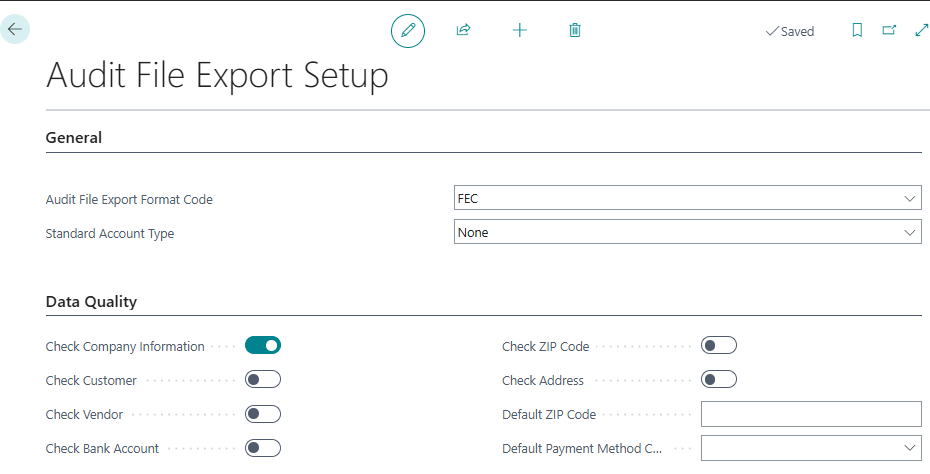
Configuring audit file export
Centralizes the default format proposed when creating a document, as well as a set of data quality controls (address, postal code, bank details) relevant for SAF-T, but without effect for the FEC.
Configuring the Audit File Export Format
For each installed format, it sets the filename pattern and the Zip archiving option.
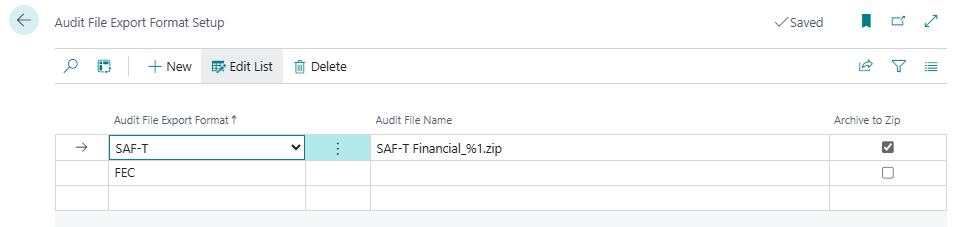
For the FEC file, the file name does not need to be specified because the process generates it according to tax administration standards. (SIREN + FEC + Closing Date)
SAF-T: an assistant rather than just a page
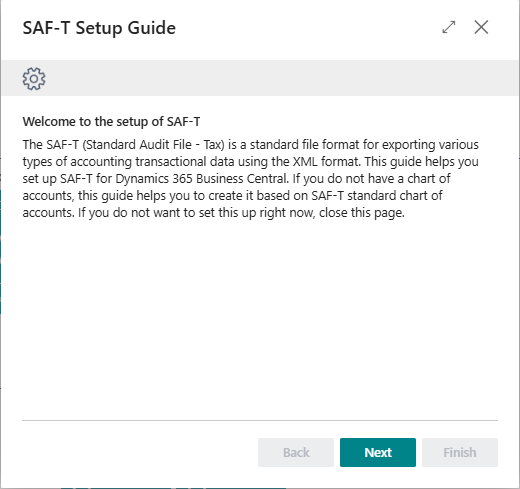
Configuring SAF-T isn't just a matter of filling in a few fields; it involves a dedicated wizard, the SAF-T Setup Guide, which guides you through several successive steps. These include choosing the standard account type to use, the period for the first file to be generated, mapping the company's chart of accounts to the standardized repository, mapping VAT account by account, exporting analytical dimensions, and finally, designating the employee responsible for the file's content.
Two actions automate part of this work: the automatic reconciliation of the existing chart of accounts with the standardized reference, and the creation of a chart of accounts directly from this reference when the company does not yet have one.
This assistant illustrates a fundamental difference between the two formats. SAF-T requires prior modeling of accounting data: mapping of accounts, VAT rates, and dimensions. FEC, on the other hand, simply extracts the data as it already exists in the general ledger.
The FEC: a simplified configuration, strict prerequisites
When installing the FEC extension, the minimal configuration is done without intervention: the format is saved automatically, without a particular file name or Zip archiving.
The FEC always produces a single text file, never an archive.
No assistant, no account mapping to be done beforehand. The configuration then moves to the export document itself, with three fields specific to the format: the inclusion or exclusion of opening balances, a default journal code for entries that do not have one, and an optional filter on the chart of accounts to restrict the scope of the export.
This ease of setup does not eliminate the need for prior data preparation. Two checks are essential before any initial generation.
First, the SIREN number, entered in the company information: it determines the name of the final file and blocks the export if it is not provided.
Next, the quality of the chart of accounts and journal codes already present in the database (account numbers conforming to the general chart of accounts, descriptions written in French, without mass transcoding or remnants of a configuration imported from a foreign group).
The module does not correct anything on its own. It merely extracts what already exists.
Three lessons emerge from this architecture.
- The interface-based extension logic ensures consistency of use between formats, without imposing the same configuration constraints.
- The level of upstream requirement varies greatly: heavy for SAF-T, light for FEC, but never zero.
- In both cases, the module reflects the quality of the data already present in Business Central. It does not correct it.
Once this configuration is in place, the essential part remains: producing the file, monitoring its execution, and understanding how each regulatory field is built from Business Central data.
This will be the subject of the next article, which will focus on the daily use of the Audit File Export Doc. Card page, the planning of background processing, and the details of the mapping of the eighteen FEC fields.






No comments yet.