









Maintaining and insuring an asset base without leaving Business Central
Index 
After a loss, the insurer quickly asks for the list of covered equipment and its value. In many companies, that list lives in a spreadsheet kept by facilities management, unconnected to accounting, and updating it depends on one person's memory. The previous articles dealt with the flows that change asset values. This one looks at two ledgers that sit next to depreciation: maintenance and insurance.
Both functions are often left out of scope during project scoping, for lack of time. They need little setup, though, and their value shows up at the first physical inventory check.
1. Registering service visits
A technician comes to service a compressor and leaves a work order. Sometimes the visit costs nothing because it falls under a flat-rate contract, but it deserves a record. From the fixed asset card, the "Maintenance Registration" action opens a log of visits with no financial impact.
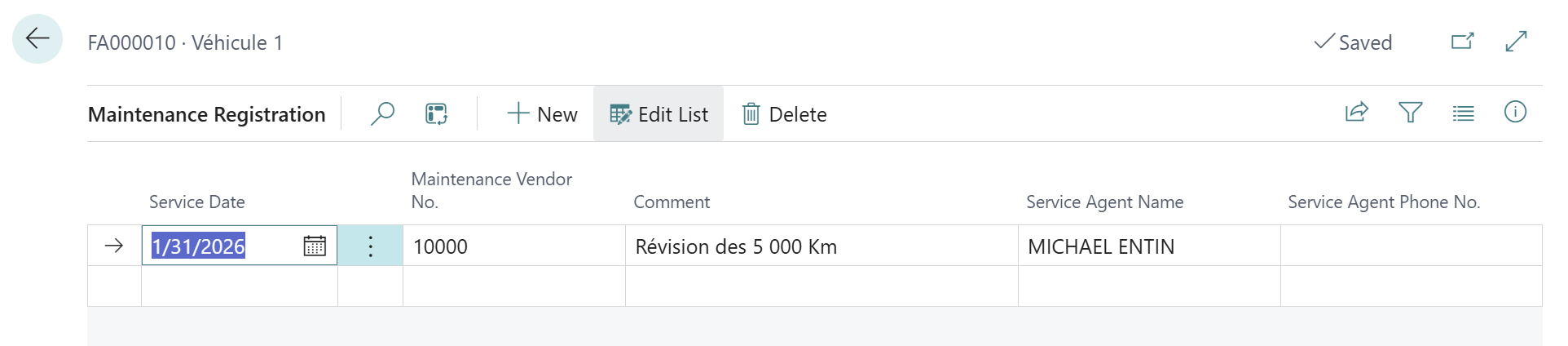
Each line holds the information needed for technical follow-up:
- "Service Date": the actual date of the visit.
- "Maintenance Vendor No.": the service provider, chosen from the vendor list.
- The service agent's name, phone and mobile ("Service Agent Name", "Service Agent Phone No.", "Service Agent Mobile Phone").
- A free comment for observations.
Planning relies on the "Next Service Date" field on the Maintenance FastTab of the card, together with the "Under Maintenance" indicator.
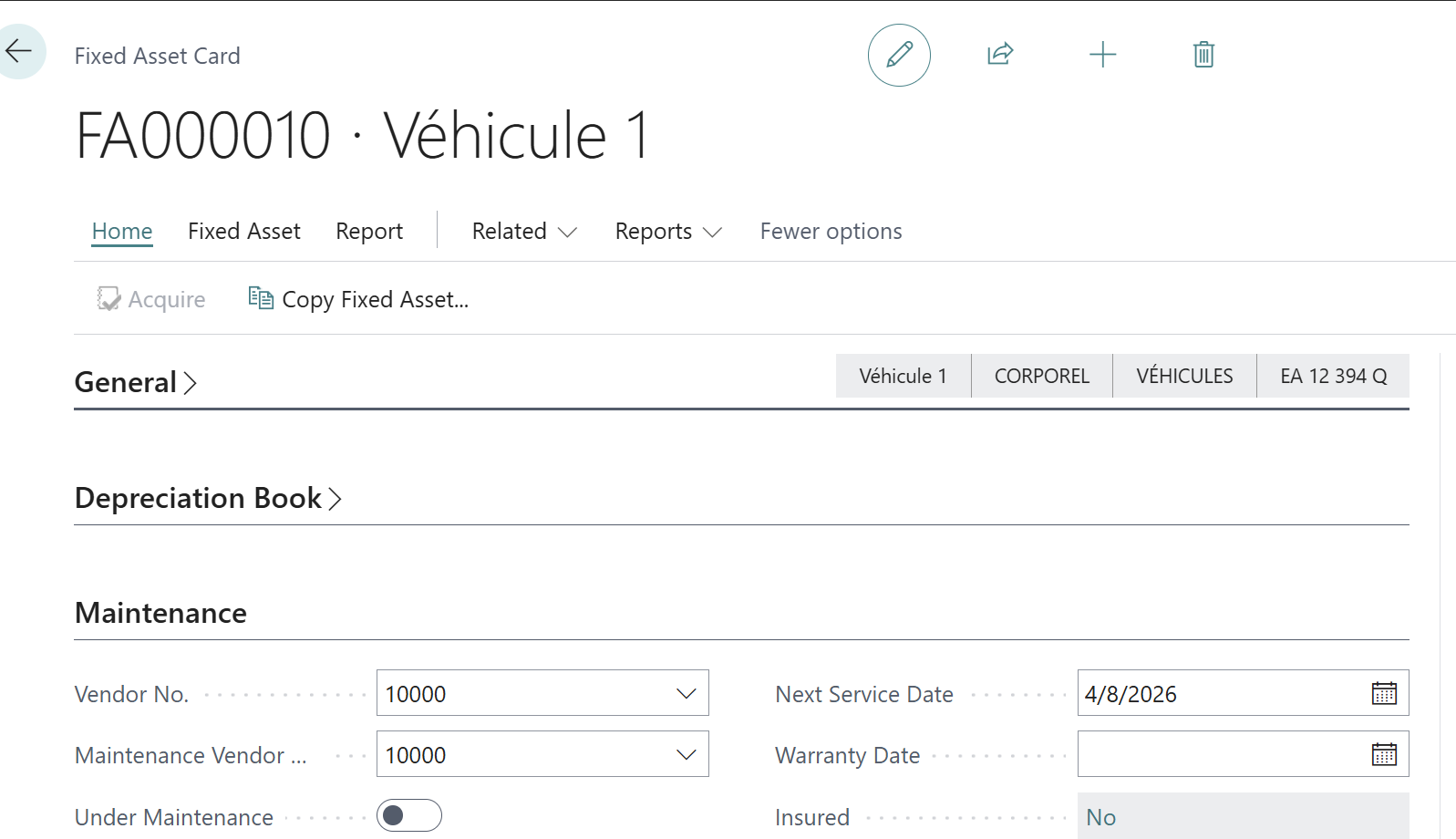
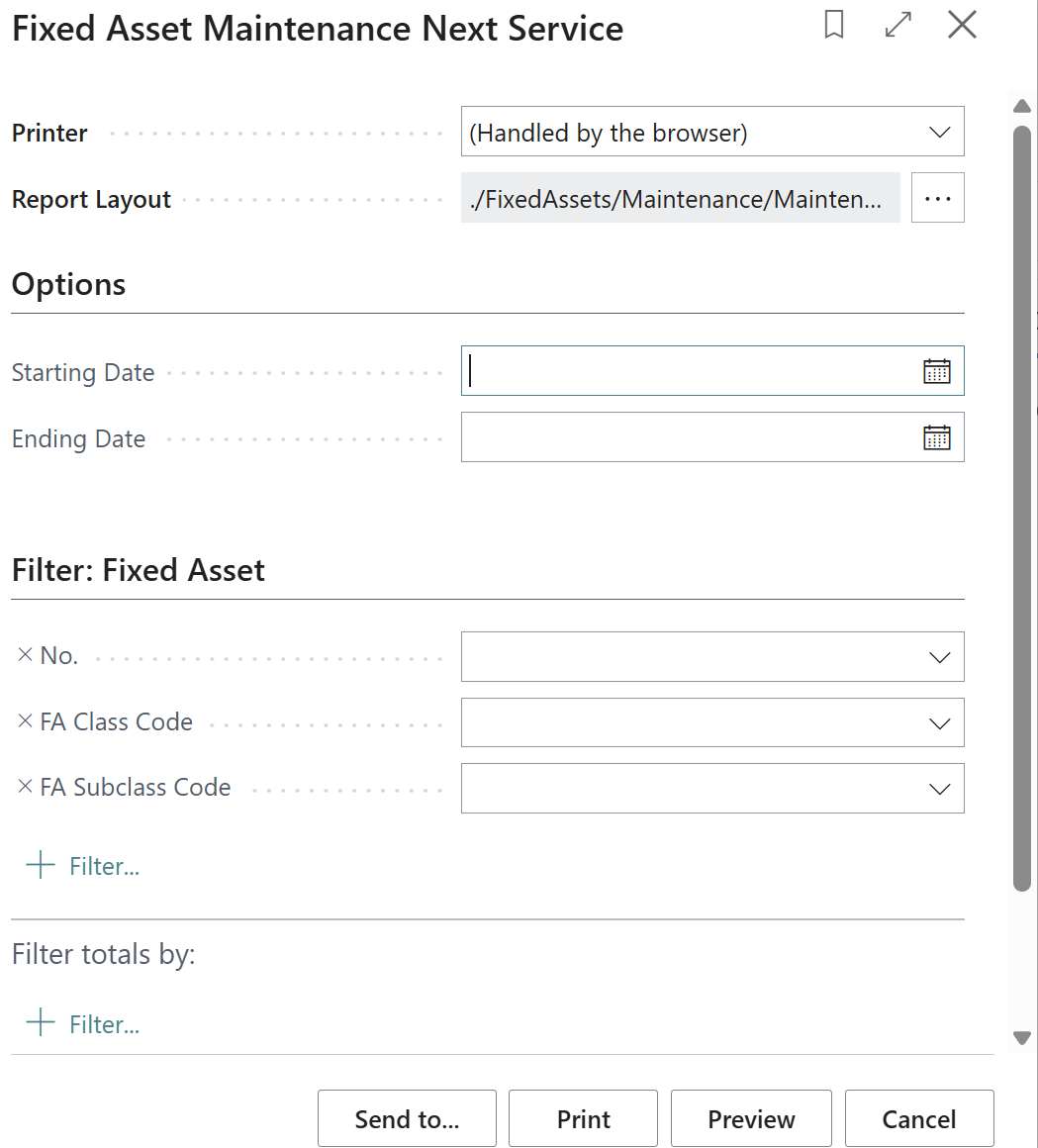
The "Maintenance - Next Service" report filters assets on that field for a given period. Printed at the start of each month, it becomes the work list of the technical manager, who then enters the new due date on each card.
2. Posting upkeep costs
Maintenance costs are operating expenses. Unlike an improvement, which increases the acquisition cost, upkeep does not change the asset's book value. Business Central reflects this principle in its structure: maintenance costs are recorded in the "Maintenance Ledger Entries", a ledger separate from the FA ledger entries.
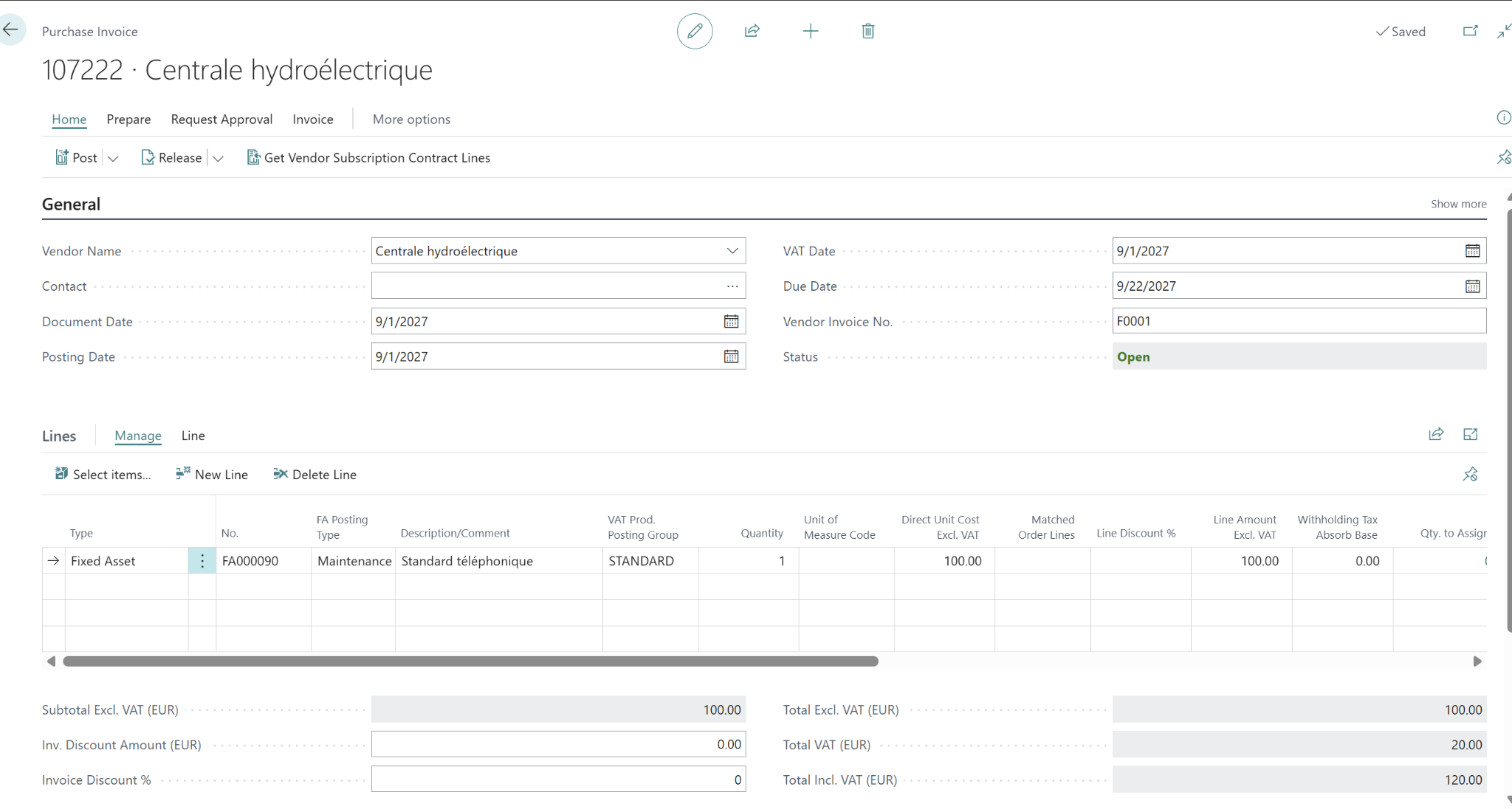
The most common entry goes through the purchase invoice. On a line of type "Fixed Asset", the "FA Posting Type" field is set to "Maintenance" and a "Maintenance Code" specifies the nature of the work.
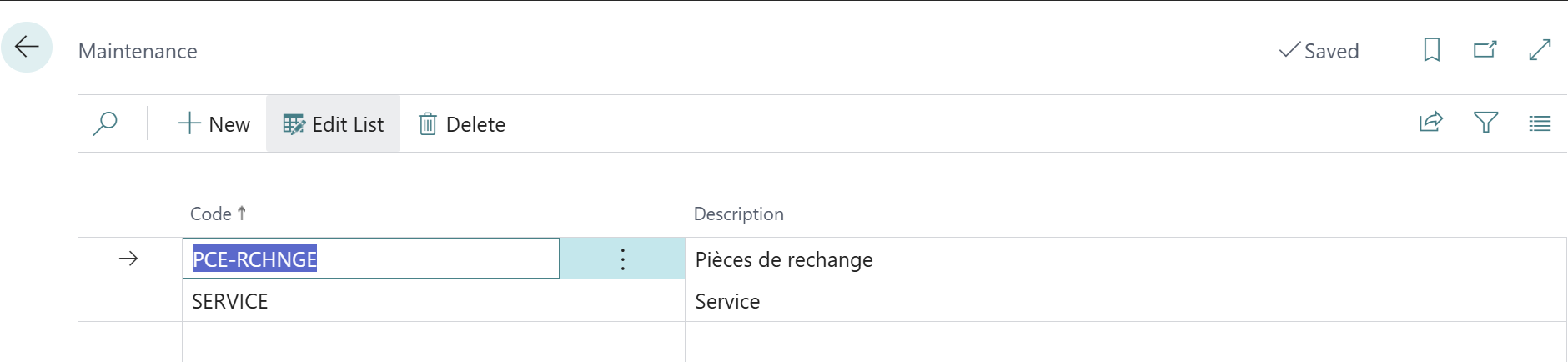
These codes, such as REPAIR, SERVICE or PARTS, are created in a dedicated setup table. They determine the quality of later analysis: a company that defines only one will never separate breakdowns from scheduled servicing.
The FA G/L journal remains available for costs without a vendor document. There, the "Insert FA Bal. Account" action uses the "Maintenance Expense Account" and the "Maintenance Bal. Acc." of the posting group.
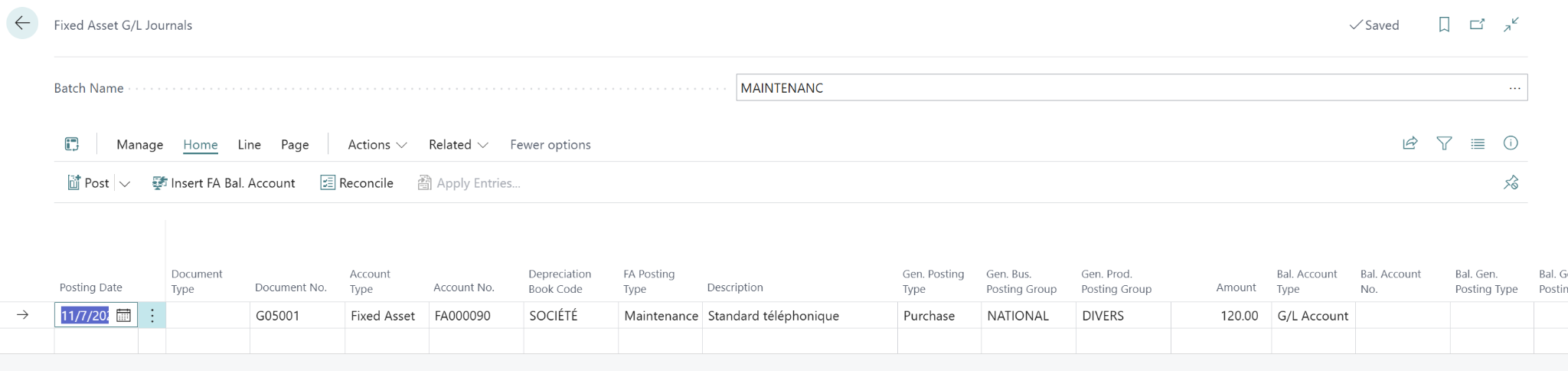
The impact on the general ledger depends on the "Maintenance" checkbox on the Integration FastTab of the depreciation book. Cleared, it limits posting to the maintenance ledger, which suits cases where the expense is already recorded elsewhere, for example through a vendor invoice posted to a G/L account.
Maintenance amounts can be indexed with the "Index Fixed Assets" batch job, provided the Maintenance type is selected in its options.
3. Linking assets to an insurance policy
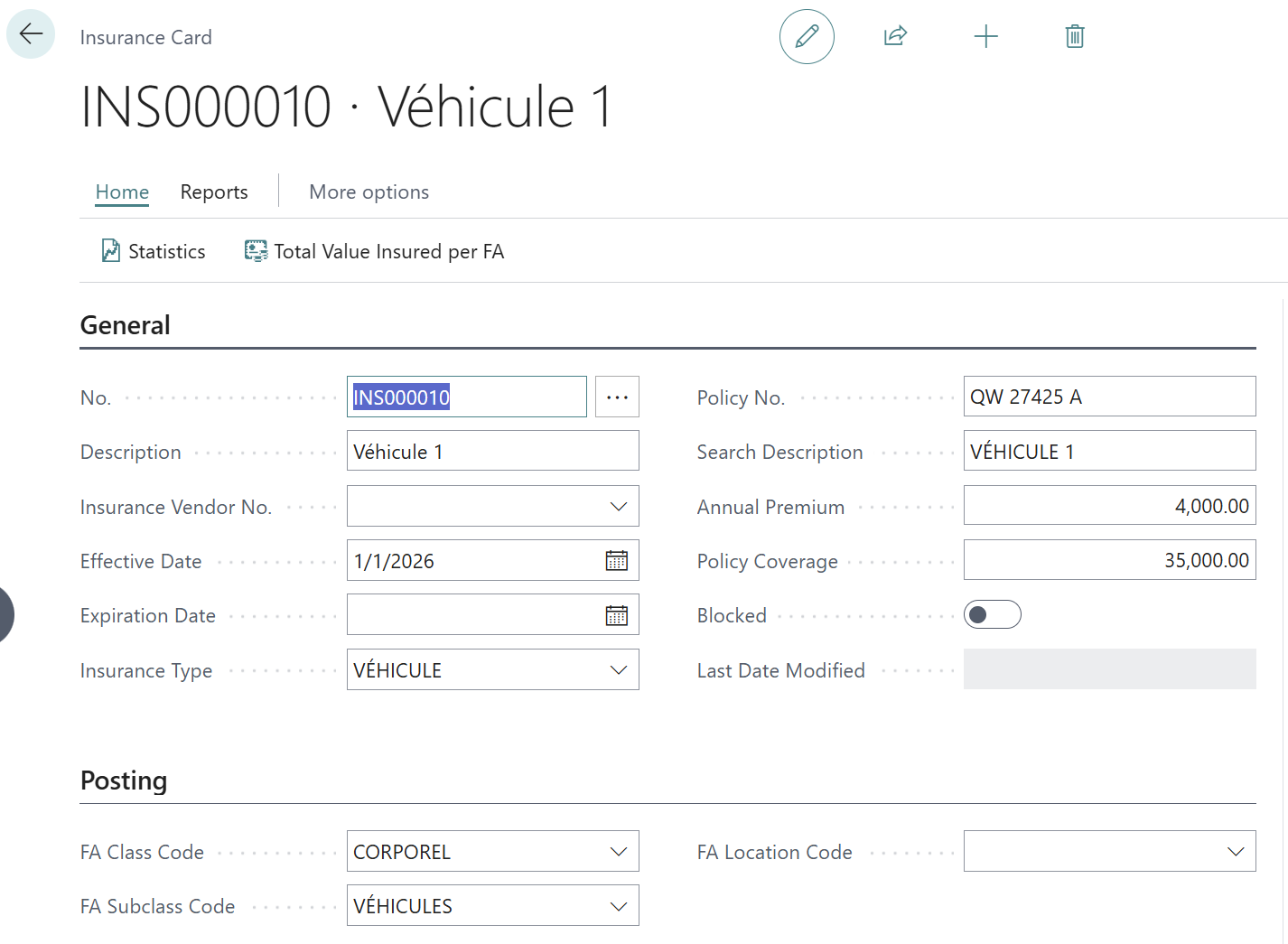
The insurance card describes the contract. The source code defines the "Policy No.", the insurer chosen among vendors ("Insurance Vendor No."), the effective and expiration dates, the "Annual Premium", the "Policy Coverage" and the insurance type. Class, subclass and location codes complete the card and feed the reports.
A fixed asset is linked to a policy by a coverage entry posted from the "Insurance Journal".
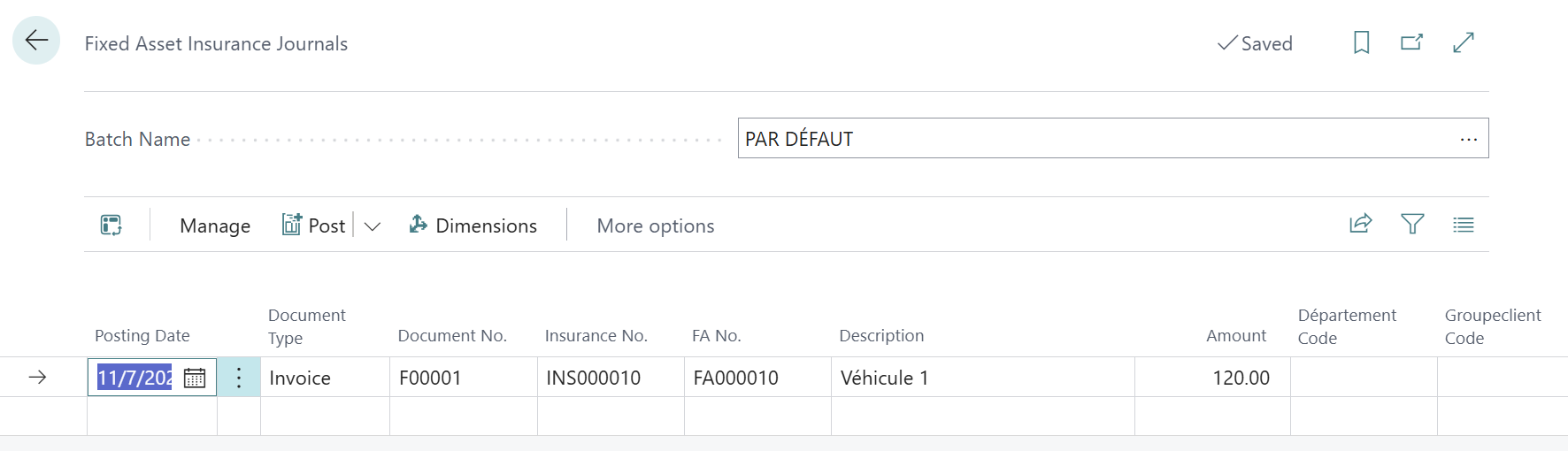
Several lines with the same "Insurance No." and different "FA No." assign several assets to one contract. These entries never reach the general ledger: they only feed the insurance coverage ledger entries.
💡Entry can be automated. When "Automatic Insurance Posting" is enabled in the FA setup, posting an acquisition cost whose line carries an "Insurance No." creates the coverage entry directly.
Without this option, lines are created in the insurance journal and wait for manual posting. Microsoft then recommends an insurance journal template without a number series, otherwise the document numbers taken from the acquisition conflict with the series.
The acquisition only triggers a coverage entry if it is posted to the depreciation book designated for insurance in the FA setup ("Insurance Depr. Book"). This setting, rarely discussed in workshops, has other consequences, described below.
4. Updating and checking coverage
Insured values move with construction or equipment indices. The "Index Insurance" batch job applies an "Index Figure", for example 102 for a 2% increase, to the total value insured and creates the matching lines in the insurance journal. A wrong assignment is corrected with two lines in the same journal: a positive amount on the right policy, a negative amount on the wrong one.
The "Insured" field on the fixed asset card deserves particular attention. The source code shows that it is not a checkbox set by the user, but a calculated field. It is Yes as long as at least one coverage entry exists whose disposal marker ("Disposed FA") is false. That marker switches when the asset is disposed of in the book designated for insurance. If that book is not the one where disposals are actually posted, a sold asset still shows as insured.
Several reports support the checks:
- "Insurance - Uninsured FAs": assets forgotten when linking.
- "Insurance - Tot. Value Insured": the coverage of each insured asset.
- "Insurance - Coverage Details": the link between policies and fixed assets.
- "Insurance - Analysis": premiums, coverage and gaps by policy.
Finally, the "Insurance Statistics" page shows an "Over/Under Insured" field: a positive amount signals a policy covering more than the value of the linked assets, a negative amount signals underinsurance.
5. Analysing maintenance costs
The "Maintenance - Analysis" report compares costs across one, two or three maintenance codes, for a date or a period, in total or per asset. The "Maintenance - Details" report lists the maintenance ledger entries of one or several assets. The "Fixed Asset Statistics" page, opened from the asset's depreciation book, shows cumulative maintenance and drills down to the entries.
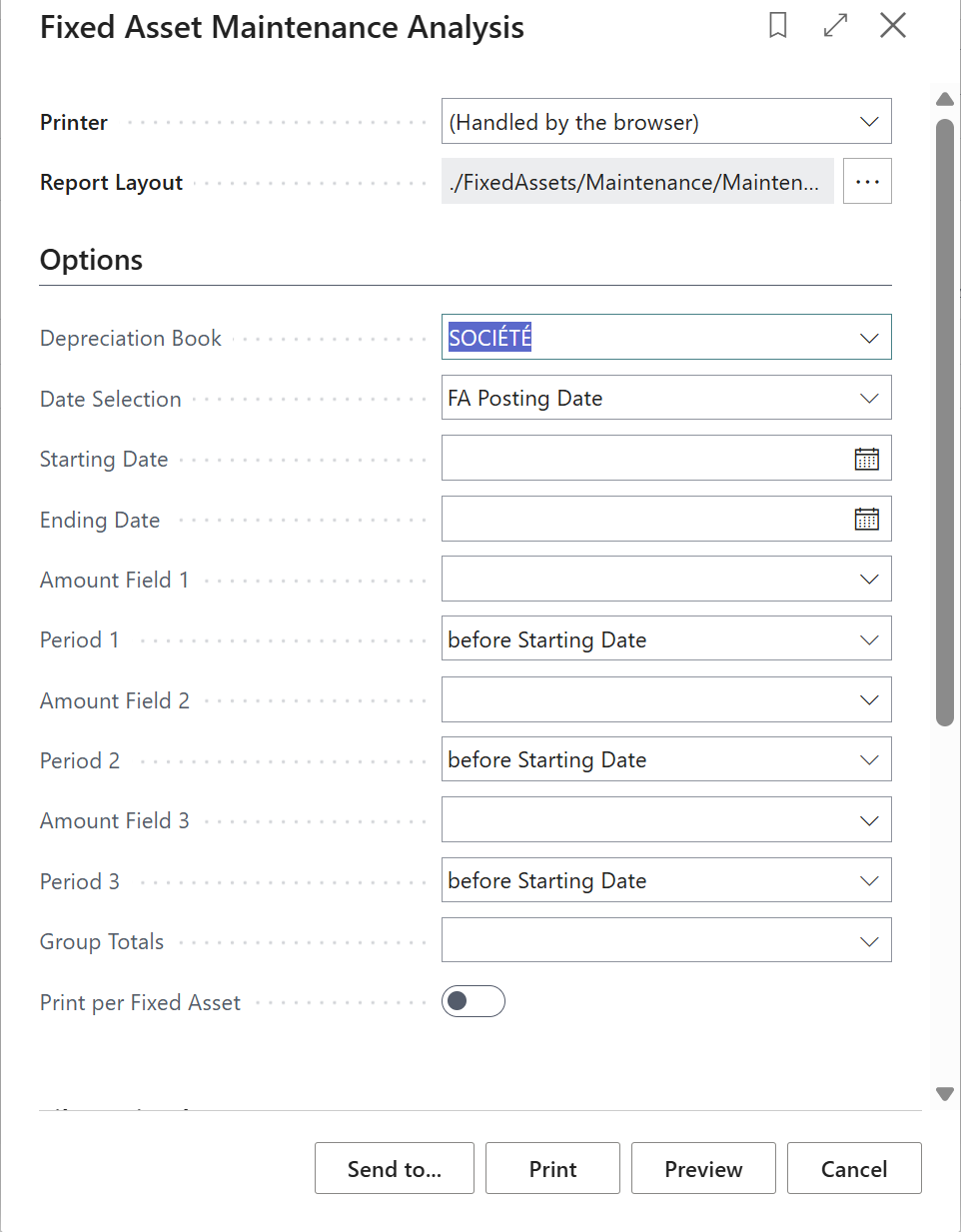
These figures become useful when deciding between repair and replacement. A vehicle whose cumulative maintenance approaches its net book value raises a question that accounting alone does not reveal.
Conclusion
Maintenance and insurance do not change the book value by a single cent, which explains why they are often pushed to the end of the project. Their value lies elsewhere: they connect fixed asset accounting to the physical reality of the asset base, and they prevent a parallel spreadsheet from becoming the source of truth after a loss.
Setup takes half a day: a few maintenance codes, the right insurance book, and a decision on automatic posting. The next article closes the series with asset disposal, disposal budgeting and analysis tools.







No comments yet.
Feel like commenting on this article? sign up, it's free!