









Incoterms in business management and their integration into Microsoft Business Central
Index 
Imagine this situation: a customer calls after receiving damaged goods. The carrier claims that the risk was no longer theirs at the time of the damage. Your supplier, on the other hand, believes that you assumed the risks from the start. No one really knows where they stand. This is precisely the problem that Incoterms solve. For over a century, they have served as a universal language to clearly and unambiguously define who pays for what and who assumes responsibility for what.
What are Incoterms and what are they really used for?
The Incoterms (International Commercial TermsTerms and conditions of delivery (or delivery terms in English) are a set of uniform international rules published by the International Chamber of Commerce (ICC). Far from being a mere administrative formality, they form the backbone of any sales contract, whether international or domestic. Their role is to establish a shared understanding between the buyer and the seller regarding the specific obligations that bind them.
In reality, Incoterms answer three fundamental questions that every logistics or trade professional asks themselves:
Who pays for what?
Each step in the journey of goods has a cost: packaging, pre-carriage to the carrier, main transport, customs formalities, and final delivery. The Incoterm specifies precisely at which stage of the process the invoice is transferred from one party to the other.
At what point does responsibility change hands?
This is the question of risk transfer. If goods are damaged in transit, who loses? It's the party who bore the risk at the time of the damage. The Incoterm defines this point with indisputable legal clarity.
Who handles customs paperwork?
Importing and exporting require declarations, authorizations, and sometimes even commercial visas. The Incoterm assigns these administrative responsibilities unambiguously.
Why not operate without them?
The world of business-to-business trade has been built on trust, but also on certainty. Without Incoterms, trade relies on ad hoc negotiations, leading to divergent interpretations and, ultimately, conflicts.
Incoterms provide several concrete benefits, which any ERP management professional immediately recognizes.
First of all, they harmonize communicationWhen you mention "FOB Marseille, Incoterms 2020" to a freight forwarder, shipping broker, or client, everyone understands exactly what it means. No ambiguity, no mental reprocessing of the message. This saves considerable time in daily operations.
Afterwards, They prevent disputesBy precisely defining the time and place of risk transfer, they avoid financial disputes when goods are damaged in transit. Insurance companies, logistics providers, and customs authorities recognize the validity of this boundary.
Finally, they allow us to control profitabilityA salesperson cannot reliably quote a price without knowing exactly what transportation costs they are incurring. Incoterms allow this information to be precisely segmented and its real impact on margins to be assessed.
Where do they need to be listed to have legal value?
A rule is a rule. For an Incoterm to be recognized as legally binding, it is not enough to state it verbally or write it down once. It must be present, consistently, on all official documents in the commercial file.
This necessarily includes:
- The quote and the commercial invoice, where the three-letter code must be accompanied by the precise place of application and the version of the rule (for example: "FOB Marseille, Incoterms 2020").
- The sales contract, which constitutes the initial legal foundation between the parties.
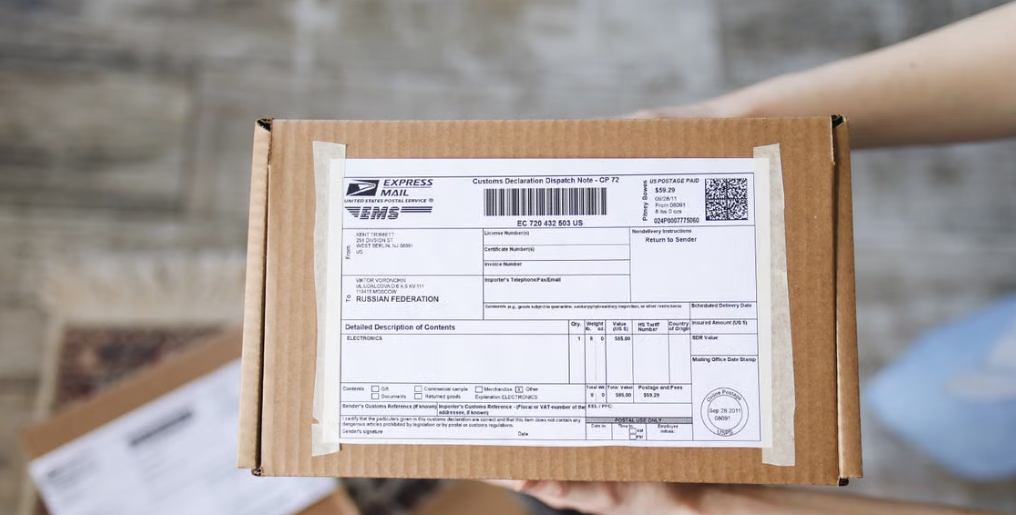
- Transport documents, whether it be a CMR consignment note, a maritime bill of lading or an air waybill.
- Customs declarations are essential for correctly calculating customs value during imports or exports.[NT]This repetition is not redundant; it is protective. It creates an undeniable documentary record in case of dispute.
The main Incoterms at a glance
Rather than detailing all the terms (there are thirteen), here is a focus on the five most common in modern business operations:
EXW(Ex Works / Free Factory): Any mode of transport. The risk passes to the seller's premises. The buyer assumes all responsibility thereafter.
FOB(Free on Board): Maritime or river transport. The risk shifts on board the ship at the port of departure.
CIF / CAF(Cost, Insurance & Freight): Maritime or river transport. The risk shifts to the ship, and the seller also pays for the insurance.
DAP(Delivered at Place): Any mode of transport. The risk passes to the agreed place of destination until the goods are unloaded.
DDP(Delivered Duty Paid): Any mode of transport. The risk passes to the final location, once the goods have cleared customs and taxes have been paid (maximum commitment for the seller).
Each of these Incoterms sets the bar at a different point in the process. Choosing the right one means precisely calibrating the sharing of responsibilities.
How Microsoft Business Central handles Incoterms
For any consultant working with Microsoft Dynamics 365 Business Central, managing Incoterms may seem surprising at first. It's essential to understand one key point: the ERP treats Incoterms as information, not as automated instructions.
The real role of Incoterms as a standard
Contrary to what some might imagine, Business Central does not automatically calculate shipping costsdepending on the Incoterm selected. Neither on the France location, nor in any other standard application configuration.
The delivery condition code is a piece of data purely documentary and informationalIts primary purpose is to categorize the commercial transaction and ensure that the appropriate legal notice is correctly displayed on documents intended for customers, suppliers or carriers (quotes, order confirmations, shipping notes, invoices).
This means that if your customer orders with DDP and you have set the shipping cost to €150, you must add it manually to the invoice. Business Central will not perform this addition for you.
The actual flow within the application
The progression is simple and linear, as follows:
During the initial setup, you access the pageDelivery conditionsto create standardized codes (EXW, FOB, DAP, DDP, etc.) and associate each with an explicit label. These codes then become reference data available throughout the system.
On the customer or supplier record, a default delivery condition code is entered. This choice determines what will automatically be displayed on future documents.
When creating a quote or order, the system automatically suggests the code stored on the customer record. This inherited code avoids re-entry and ensures data consistency. The field is always located in the logistics section of the document, usually calledShipping and payment.
When a PDF is printed or generated, the code and its description appear in the document intended for the recipient. This is what gives the document its legal value as written evidence.
Financial treatment of transport in ERP
Since Business Central does not use an automatic shipping rate schedule based on Incoterms, shipping costs must be entered manually. Two methods exist, depending on the context:
The first method uses the Item fee (Item ChargesThis is particularly useful if you want to allocate freight costs directly to the purchase value of stocked items, or if you need to invoice the customer for actual transportation costs. This approach is rigorous from an accounting perspective, as it precisely documents which items have incurred which cost.
The second method uses a G/L Account Line or ResourceThis method is better suited to simple delivery charges applied to a sales invoice. A dummy product line is created to represent the costs, and it is invoiced without a direct link to inventory. It's faster, but less detailed for accounting purposes.
If your organization needs true automation, for example transport rates by kilo, by distance, or direct integration with carrier APIs (DHL, Fedex, etc.), you will need to use a specialized extension available on AppSource, or entrust custom development to a partner.
Conclusion
Incoterms are much more than a checkbox on a form. They are the foundation upon which clarity rests in every commercial transaction. For the seller, the buyer, the carrier, and the customs authorities, they provide an irreplaceable framework that prevents costly misunderstandings.
In an ERP system like Microsoft Business Central, their role remains purely logistical, but it is precisely this nature that makes them so powerful. Rather than imposing a single formula on all departments, the application empowers sales and logistics teams to manage transportation costs with the granularity and flexibility that each situation demands. However, the infrastructure is already in place: the codes are defined, inheritance is supported, and display is guaranteed. When more sophisticated automation becomes necessary (complex pricing, carrier integration, multilingual models), add-on modules can be grafted onto this foundation without disrupting it.
It is this combination of simplicity and extensibility that makes Incoterms, and their management in Business Central, a lasting asset for supply chain teams.
Useful resources:
- Official Wallchart Incoterms 2020 (International Chamber of Commerce): https://2go.iccwbo.org/incoterms-2020-practical-free-wallchart.html
- The new Incoterms 2020 rules and customs value (Directorate General of Customs and Indirect Taxes): https://www.douane.gouv.fr/les-nouvelles-regles-incotermsr-2020-et-la-valeur-en-douane





No comments yet.
Feel like commenting on this article? sign up, it's free!